Personalise your Scan to Review QR Stand
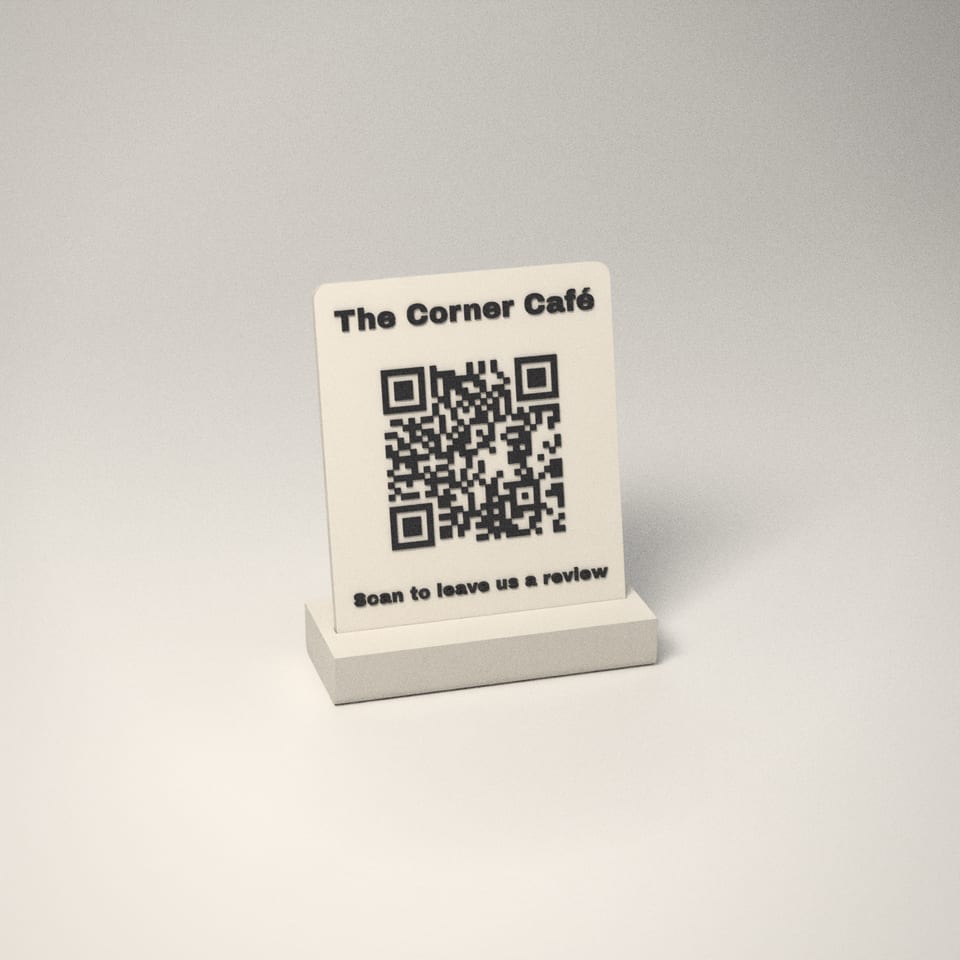
Rendered from the print file
Sample text shown
100 × 126 mm sign (148 mm with NFC) on a 110 × 45 × 18 mm base
Step 1 of 7: Choose size
Step 2 of 7: Pick your colours
These two colours are close, so the letters may be hard to read. Try a lighter or darker letter colour.
Step 3 of 7: Type your name
Characters used: 0/0
We print exactly what you type, so check spelling and capitals. Longer names print smaller.
Step 4 of 7: Choose message
Step 5 of 7: Type your your link
Characters used: 0/0
Paste your Google review link (Google Business Profile → Ask for reviews → copy the link) or any web address, starting https://. We test-scan every stand before it's posted. Longer names print smaller.
Step 6 of 7: Choose a font
Step 7 of 7: Finishing touches
Add an NFC tap spot25 mm recess on the back for an NFC sticker (sticker not included)